JQuery simple form example in Visualforce.
Example 1:
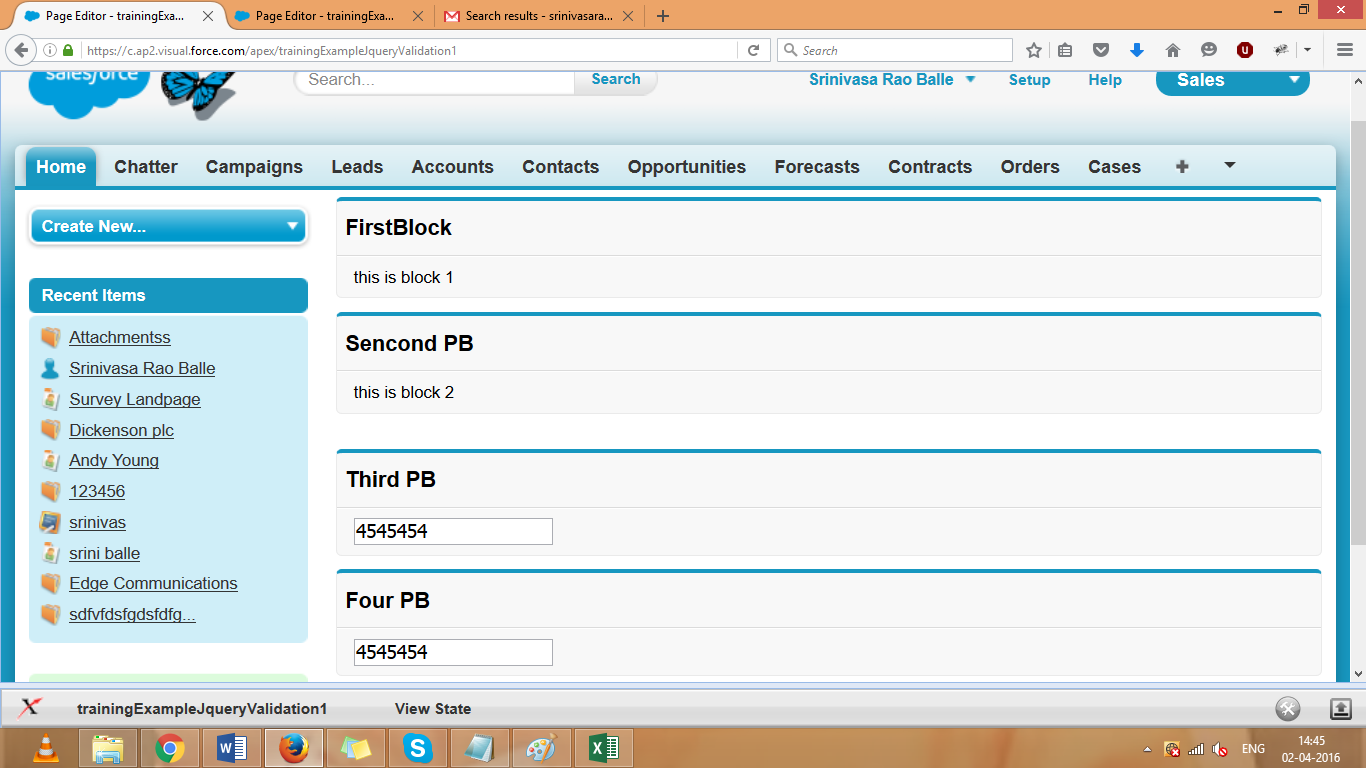
In this example i am showing mouse over and text box copy elements.
In the below examples i am referencing JQuery library from static resources.
<apex:page >
<apex:form >
<apex:includeScript value="{!$Resource.jquery_1_12}"/>
<script>
j$ = jQuery.noConflict();
if(j$) {
// alert('Jquery loaded successfull....');
}
function show(){
// alert('show is calling..');
j$('[id$=pb2]').toggle();
}
function copyValues(){
alert('copy value is calling..');
var itemValue = j$('[id$=name]').val();
alert('item values is==>'+itemValue);
j$('[id$=pb4nputText]').val(itemValue);
}
</script>
<apex:pageblock title="FirstBlock" id="pb1" onMouseOver="show()">
this is block 1
</apex:pageblock>
<apex:pageblock title="Sencond PB" id="pb2" >
this is block 2
</apex:pageblock>
<br/>
<apex:pageblock title="Third PB" id="pb3">
<apex:inputtext id="name" onchange="copyValues()"/>
</apex:pageblock>
<apex:pageblock title="Four PB" id="pb4">
<apex:inputText id="pb4nputText" />
</apex:pageblock>
</apex:form>
</apex:page>
Other JQuery examples :


